
Start
Use your own image, start blank, or open the bundled sample.

Compose image-driven circles, connections and geometric divisions with clear graphic linework.
Runs locally No upload
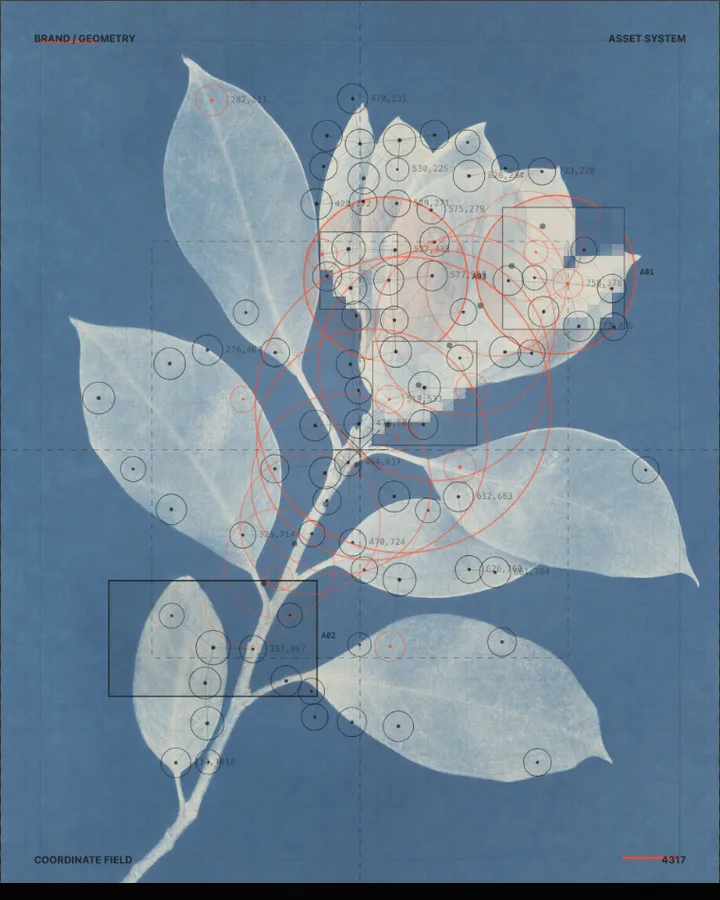
Geometric Abstraction is a free browser tool that redraws a photo as circles or squares and connecting lines, placed where the picture is brightest, darkest or sharpest.
Use your own image, start blank, or open the bundled sample.
Build the result with Base Image, Effect Area, and Subject, then refine the remaining controls in real time.
Render PNG / JPEG output and download it directly to your device.
In the iPhone app, automatic subject extraction is available.
Get the iPhone appThe tool finds points of interest in the picture and draws a shape at each one. Detection decides what counts (Combined, Contrast, Highlights or Shadows), Nodes (24–180, default 60) how many points there are and Threshold (0–100%) how selective the search is. Shape chooses Circle or Square, with the Minimum (2–24px) and Max (12–96px) controls setting the radius range, and Connections (0–360px) draws lines between points that are close enough.
Layout chooses the composition (Coordinate network, Circle Chain, Poster, Field, Contour Network, Tonal Nodes or Color Reconstruction). Optional extras are the Circle Chain and Crosshair Frame switches and the Coordinates control, and Palette sets the colours (Paper Black, Warm White, Signal Red, Cobalt Blue, Sample or Custom). In the browser the effect applies to the whole image, since automatic subject detection is an iPhone app feature. The tool can also start from a blank canvas.
Photos with clear light and dark areas or sharp edges give the tool points to find. Flat, evenly lit photos give an even scatter of shapes.
Circle Study, Connected Study, Large Circles and Circle Chain Study.
It replaces the photo with a drawing made of circles or squares and thin lines. Shapes are placed at the points the tool finds, such as highlights, shadows or contrast, and lines connect points that are near each other.
Set Connections (0–360px, default 190px); points closer than that are joined. Line Width (0.2–3px) sets the line width.
Lower Nodes (24–180) and raise Max (12–96px); Large Circles is a preset to start from.
PNG or JPEG at 1600, 2200 or 3200 pixels on the long edge. The photo is processed in the browser and is not uploaded.
Use the whole image instead of automatic subject extraction.
Continue with SHADR on iPhone after you create in the browser.
Get the iPhone app