
Start
Use your own image or open the bundled sample.

Break selected parts of an image into signal tears, displaced data blocks and scan trails.
Runs locally No upload
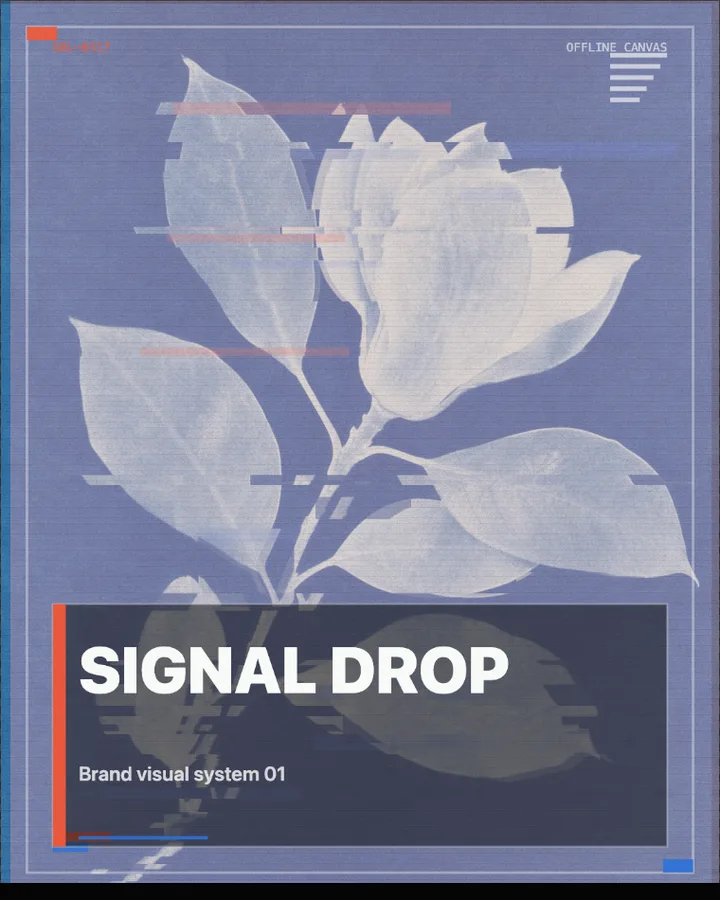
Glitch Art is a free browser tool that corrupts a photo on purpose, with sliced bands, colour shifts, displaced blocks of data and scan trails.
Use your own image or open the bundled sample.
Build the result with Main title, Effect Area, and Treatment, then refine the remaining controls in real time.
Render JPEG / PNG output and download it directly to your device.
In the iPhone app, automatic subject extraction is available.
Get the iPhone appGlitch art takes the errors of digital media, such as torn frames and broken signals, and uses them as a look. Style chooses the kind of glitch (Signal Tear, Data Blocks, Scan Trail, Signal, Scan, Poster or Label), Glitch Intensity (0–100%, default 58%) sets how strong it is and Slices (8–92) how many bands the picture is cut into. Color shift (0–64px) splits the colour channels apart.
Scan Lines and Grain (0–100%) add the texture of a degraded signal. Effect Area (Entire Image, Subject or Background) sets where the effect applies, and Main title and Subtitle can set type over the picture (Layout: Standard, Minimal or None). In the browser the effect applies to the whole image, since automatic subject detection is an iPhone app feature.
Photos with a clear subject and some contrast keep their shape when they are torn into bands.
Signal Tear, Quiet Signal, Data Blocks, Scan Trail and Signal Break.
Glitch art is the deliberate use of digital errors, such as corrupted files, torn video frames and broken signals, as an aesthetic. Here the errors are produced by the tool, not by damaging a real file.
Glitch Intensity (0–100%, default 58%) sets the overall strength, Slices (8–92) the number of bands and Color shift (0–64px) the colour split.
Yes. Main title and Subtitle set the type, and Layout chooses how much of the layout is shown (Standard, Minimal or None).
PNG or JPEG, up to 3200 pixels on the long edge. The photo is processed in the browser and is not uploaded.
Use the whole image instead of automatic subject extraction.
Continue with SHADR on iPhone after you create in the browser.
Get the iPhone app