
Start
Use your own image, start blank, or open the bundled sample.

Draw flowing strokes that follow image contours, light and color, with seamless looping motion.
Runs locally No upload
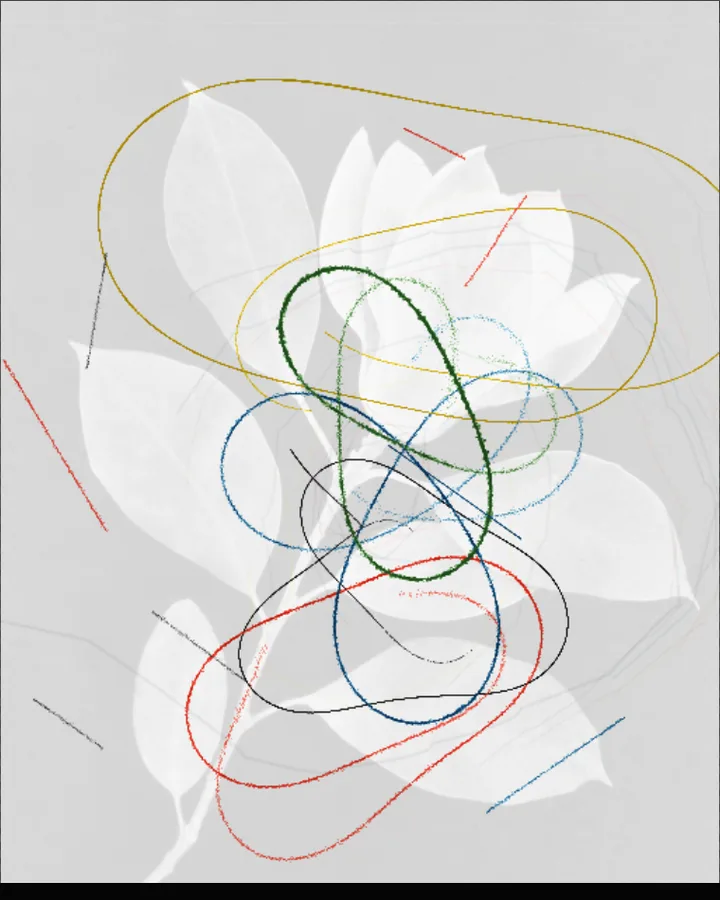
Flow Field is a free browser tool that draws a picture as thousands of strokes that flow along the contours, light and colour of a photo.
Use your own image, start blank, or open the bundled sample.
Build the result with Density, Flow Guide, and Intensity, then refine the remaining controls in real time.
Render PNG / JPEG / Video output and download it directly to your device.
In the iPhone app, Live Photo export is available.
Get the iPhone appA flow field is a map of directions across the canvas; each stroke follows the direction under it. Here the strokes are drawn in 4 styles (Strokes: Ink Marks, Watercolor, Charcoal pencil or Hatching), and Flow sets the pattern of the flow (Drift, Vortex, Radial or Facets). Density (120–2400), Length (28–220px) and Weight (1–18px) set how many strokes there are and how they look; Intensity, Turbulence and Diffusion (0–100%) shape and soften the flow.
Composition places the drawing in the frame (Breakout, Center, Full Bleed or Negative Space), and Palette sets the colours (Studio, Bone black, Cobalt Blue, Cinnabar, Earth Tones or Custom). Turn on Live Preview to watch the strokes move; the motion can be exported as video in the browser, and as a Live Photo in the iPhone app.
Photos with clear contours and a range of light and colour give the strokes something to follow. The tool can also start from a blank canvas.
Contour Threads, Painted Flow, Airy Strokes and Ink Streamlines.
A flow field is a grid of directions. Drawing in it means every stroke starts somewhere and follows the direction under it, which produces smooth, curving lines. It is a common technique in generative art.
Choose a style under Strokes (Ink Marks, Watercolor, Charcoal pencil or Hatching), then set Length (28–220px) and Weight (1–18px). Diffusion (0–100%) controls how much the marks diffuse.
Yes. Turn on Live Preview and set Speed (0–100%). In the browser you can export the motion as video; Live Photo export needs the iPhone app.
PNG or JPEG at 1600, 2200 or 3200 pixels on the long edge, or video. The photo is processed in the browser and is not uploaded.
Export motion as video instead of Live Photo.
Continue with SHADR on iPhone after you create in the browser.
Get the iPhone app