
Start
Use your own image, start blank, or open the bundled sample.

Frame a patch of a photo and fold it into a seamless repeating pattern: mirror or kaleidoscope tiles, with optional color filters, for still or video output.
Runs locally No upload
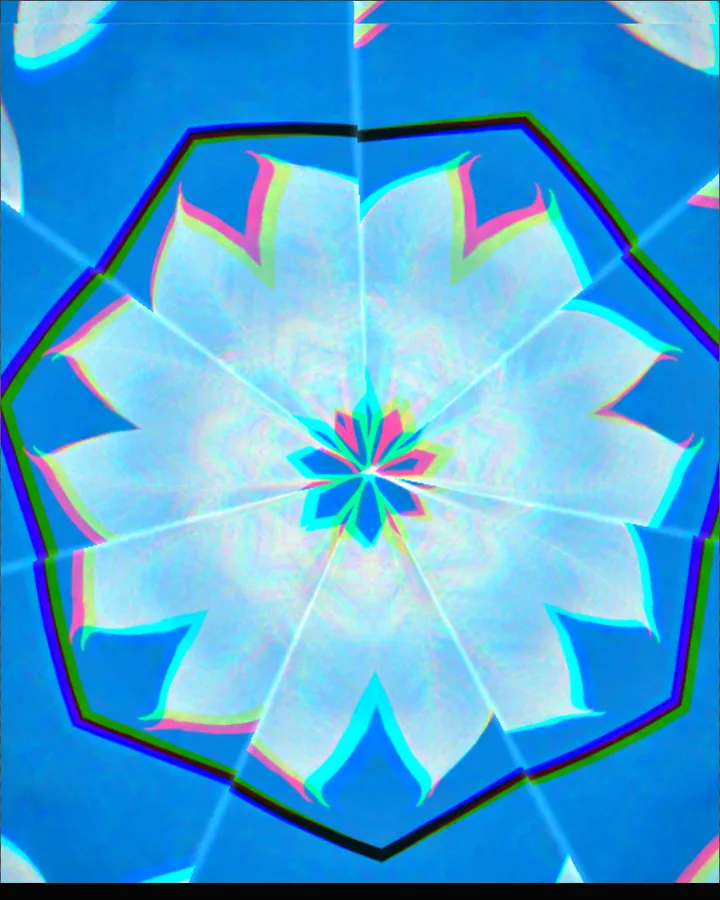
The kaleidoscope effect is a free browser tool that takes a patch of a photo and folds it into a seamless repeating pattern of mirrored tiles, a kaleidoscope image made from any picture.
Use your own image, start blank, or open the bundled sample.
Build the result with Fold, Repeat, and Sample Size, then refine the remaining controls in real time.
Render PNG / JPEG / Video output and download it directly to your device.
In the iPhone app, Live Photo export is available.
Get the iPhone appA kaleidoscope repeats and mirrors a small piece of an image until it forms a pattern. This tool lets you choose the piece and the fold. Sample Size (5–100%) sets how large a patch of the photo is used, and Framing X and Framing Y (-100 to 100%) move it across the picture. Fold chooses the fold (Kaleido, Mirror, Radial or Hexagon), Repeat (1–12) sets how many times it repeats and Rotate (-180 to 180°) turns the pattern.
Filter adds a colour filter (Original Color, Bauhaus, Graphite, Signal, Terra, Ultramarine or Custom), and Filter Strength (0–100%) sets how strongly it is applied. Motion (Rotate, Step, Drift or Breathing) animates the pattern; in the browser the motion exports as video, and in the iPhone app as a Live Photo.
Photos with varied colour and texture make richer patterns, because the pattern is built from a small patch. The tool can also start from a blank canvas.
Scarf Print, Mirror Weave, Micro Medallion, Ultramarine Tiles and Graphite Ground.
A small patch of the image is copied, mirrored and rotated around a centre so the copies tile together without seams. Changing which patch you pick changes the whole pattern.
Framing X and Framing Y (-100 to 100%) move the patch across the photo and Sample Size (5–100%) changes how much of it is taken.
Yes. Motion offers Rotate, Step, Drift or Breathing and Speed (0–100%) sets the speed. In the browser the motion exports as video; Live Photo export needs the iPhone app.
PNG or JPEG at 1600, 2200 or 3200 pixels on the long edge, or video. The photo is processed in the browser and is not uploaded.
Export motion as video instead of Live Photo.
Continue with SHADR on iPhone after you create in the browser.
Get the iPhone app